
If you're staring at your website wondering where to even start with on-page SEO, I get it. There's the title tag, meta descriptions, headings, keywords, images, links—the list feels endless. And when you're already juggling a million other things for your business or blog, the last thing you need is another overwhelming to-do list.
Here's the thing: yes, optimizing ALL the on-page elements is the ideal scenario. But let's be real—you might not have the time, budget, or energy to tackle everything at once. So it's worth knowing which on-page element carries the most weight for SEO so you can prioritize your efforts where they'll make the biggest impact.
In this guide, I'll walk you through the fundamentals of on-page SEO first. We'll cover what each element actually does and why it matters. Then—and this is the part you're probably most curious about—I'll tell you exactly which element Google weighs most heavily when ranking your pages.
Let's dive in.
The 3 Types of SEO (Quick Context)
Before we get into on-page specifics, let's clear up some confusion. A quick Google search will tell you there are 4 types of SEO, 5 types, maybe even 7 depending on who you ask. But in practice, most SEO tasks fall into three main categories:
On-page SEO is everything you do on your actual website pages. This includes your content, images, internal links, headings—basically anything visitors can see and interact with on your site.
Off-page SEO happens away from your website. Think link building (getting other sites to link to you), social media presence, and optimizing your Google Business Profile. These are signals that tell search engines your site is trustworthy and authoritative.
Technical SEO is the behind-the-scenes work that makes your website run smoothly. This covers site speed, mobile responsiveness, XML sitemaps, and making sure search engines can actually crawl and index your pages properly.
For this article, we're focusing squarely on on-page SEO—the elements you have direct control over right there on your web pages.
What is On-Page SEO?
On-page SEO refers to the optimizations you make to the content and HTML elements on your website's individual pages. The goal is simple: help search engines understand what your page is about so they can show it to people searching for that topic.
This work typically comes after you've done your keyword research and identified what terms you want to rank for. Once you know your target keywords, on-page SEO is how you signal to Google, "Hey, this page is about X topic, and it's a great answer to this search query."
Now let's break down every on-page SEO element you need to know about.
Complete Breakdown of On-Page SEO Elements
Title Tag
Your title tag is the clickable headline that appears in search engine results pages (SERPs). It's also what shows up in your browser tab and when someone shares your page on social media. Essentially, it's your page's first impression.
For SEO, your title tag should include your main keyword and be compelling enough to make people want to click. Keep it between 50-60 characters—any longer and Google will cut it off with an ellipsis in the search results, which looks unprofessional and might hide important words.
A good title tag might look like this in search results: "Beginner's Guide to On-Page SEO | Boost Your Rankings." It tells searchers exactly what the page is about while being concise and clickable.
Quick optimization tips:
- Put your most important keyword near the beginning
- Make it descriptive and specific to the page content
- Include your brand name at the end if there's room
- Write for humans first, search engines second
Meta Description
The meta description is that short paragraph of text that appears below your title tag in search results. It's your chance to give searchers a preview of what they'll find on your page.
Here's something important: meta descriptions aren't a direct ranking factor. Google has confirmed this. But they absolutely matter for SEO because they influence your click-through rate (CTR). A compelling meta description gets more clicks, and when more people click your result, that sends positive signals to Google about your page's relevance.
Keep your meta descriptions between 150-160 characters. Write them like mini advertisements for your content—explain what value the reader will get and why they should click your result instead of the nine others on the page.
Optimization checklist:
- Include your target keyword naturally
- Make it action-oriented and compelling
- Don't just copy the first sentence of your article
- Each page needs a unique meta description
Heading Tags (H1-H6)
Heading tags create a hierarchy and structure for your content. Think of them like the outline you used to make for school essays—they organize your ideas and show how different sections relate to each other.
The H1 is your main page title. You should only use one H1 per page, and it should clearly state what the page is about. Then H2 tags are your main section headers, H3 tags are subsections under those H2s, and so on down to H6.
Here's what proper heading structure looks like:
- H1: Which On-Page Element Carries The Most Weight For SEO?
- H2: What is On-Page SEO?
- H2: Complete Breakdown of On-Page SEO Elements
- H3: Title Tag
- H3: Meta Description
- H3: Heading Tags
- H2: The Answer: Which Element Matters Most?
This hierarchy helps both readers and search engines understand your content's organization. For readers, headings make your article scannable. For search engines, they provide context clues about your main topics and subtopics.
Best practices:
- Use your main keyword in your H1
- Include related keywords and variations in H2-H3 tags
- Don't skip levels (don't jump from H2 to H4)
- Keep headings descriptive and clear
URL Structure
Your URL (the web address for your page) should be clean, descriptive, and easy to read. A good URL tells both users and search engines what the page is about before they even click.
Compare these two URLs:
- Good:
yoursite.com/on-page-seo-guide - Bad:
yoursite.com/p=12345?ref=home
The first URL is readable, includes keywords, and gives you a clear idea of the content. The second is a jumbled mess that helps nobody.
URL optimization tips:
- Include your target keyword when it fits naturally
- Use hyphens to separate words (not underscores)
- Keep it short and concise
- Avoid unnecessary parameters, dates, or category structures
- Use lowercase letters
Keywords
This is where your keyword research pays off. Once you know what terms your audience is searching for, you need to strategically place those keywords throughout your content.
The key word here is "strategically." We're long past the days of keyword stuffing—cramming your keyword into every other sentence. That approach will hurt your rankings, not help them. Modern SEO is about natural integration and using semantic variations.
Where to include keywords:
- In your title tag and H1
- In your first paragraph (ideally within the first 100 words)
- In at least one H2 or H3 heading
- Naturally throughout the body content
- In your conclusion
- In image alt tags where relevant
Beyond your exact keyword, use related terms and synonyms. If your main keyword is "on-page SEO," also use phrases like "on-page optimization," "on-site SEO," and "page-level SEO tactics." This helps Google understand the full context of your content.
Internal Links
Internal links connect one page on your website to another page on your website. They're incredibly valuable for both SEO and user experience.
For search engines, internal links help crawlers discover new pages and understand how your site is structured. They also pass authority from one page to another—if you link from a high-performing page to a newer page, you're essentially telling Google, "This new page is valuable too."
For users, internal links provide a better experience by guiding them to related content they might find helpful. If someone's reading your guide on on-page SEO, they'd probably benefit from links to articles about keyword research or technical SEO.
Internal linking best practices:
- Link to 3-5 related pages within each article
- Use descriptive anchor text (the clickable words) that tells readers what they'll find
- Don't use generic phrases like "click here"
- Make sure the links are genuinely relevant and helpful
- Don't overdo it—too many links can be distracting
External Links
External links point from your website to other websites. You might wonder why you'd want to send people away from your site, but external links actually add credibility to your content when used properly.
When you link to authoritative, reputable sources, you're backing up your claims with evidence. You're showing both readers and search engines that you've done your research and you're not just making things up.
The key is linking to trusted sites in your industry. For SEO content, that might mean linking to Google's official documentation, well-respected SEO blogs, or research studies. Don't link to low-quality sites or your competitors (unless you have a strategic reason to).
External linking guidelines:
- Include 2-3 external links per article
- Only link to authoritative sources you genuinely trust
- Make sure links are relevant to the specific point you're making
- Use descriptive anchor text
- Check that links actually work before publishing
Images
Images make your content more engaging and easier to digest, but they're also an on-page SEO opportunity that many people overlook.
Search engines can't "see" images the way humans do, so you need to tell them what the image shows. That's where file names and alt tags come in.
Image file names: Before you upload an image, rename the file something descriptive. Instead of "IMG_7234.jpg," use "on-page-seo-checklist.jpg." Include keywords when it makes sense, but keep it natural and accurate.
Alt tags (alternative text): This is text that describes the image. Alt tags serve two purposes: they help screen readers describe images to visually impaired users (accessibility first!), and they give search engines context about the image content.
A good alt tag is descriptive and specific: "Bar chart showing on-page SEO ranking factors by importance" rather than just "chart" or "SEO."
Additional image optimization:
- Compress images to improve page speed
- Use relevant, high-quality images (not cheesy stock photos)
- Include your target keyword in at least one alt tag if relevant
- Choose the right file format (JPEG for photos, PNG for graphics)
Readability
Here's something that surprises people: user experience is a ranking factor. If visitors land on your page and immediately bounce because it's impossible to read, that tells Google your page isn't satisfying the search query.
Readability isn't just about using simple words (though that helps). It's about formatting your content so it's pleasant to read and easy to scan.
How to improve readability:
- Write short sentences and paragraphs (like the ones you're reading right now)
- Use subheadings to break up long sections
- Include bullet points and numbered lists
- Avoid walls of text
- Write conversationally, like you're talking to a friend
- Use transition words and phrases
- Add white space between paragraphs
- Vary your sentence structure
Another part of readability is avoiding keyword stuffing. If you're cramming your keyword into every sentence, your content will sound robotic and unnatural. Write for humans, then optimize for search engines—not the other way around.
Word Count
I almost didn't include this one because it's controversial in the SEO world. The truth is, Google doesn't have official guidelines about minimum or maximum word counts. There's no magic number that guarantees rankings.
That said, the SEO community has observed some general patterns. Most SEO professionals recommend:
- A minimum of 200-300 words for any page
- For blog posts aiming to rank competitively, around 800-1,500 words
- For comprehensive guides on competitive topics, sometimes 2,000+ words
But here's what really matters: substance over arbitrary numbers. A 600-word article that thoroughly answers a question is better than a 2,000-word article filled with fluff just to hit a word count goal.
Think about search intent. If someone searches "what time does Starbucks close," they need a quick answer, not a 3,000-word essay on coffee shop hours. But if they search "complete guide to on-page SEO," they expect (and deserve) detailed, comprehensive content.
Bottom line on word count: Write as much as you need to fully cover the topic and provide value. Not a word less, not a word more.
The Answer: Which On-Page Element Carries Most Weight?
So after all that buildup, here's what you came for:
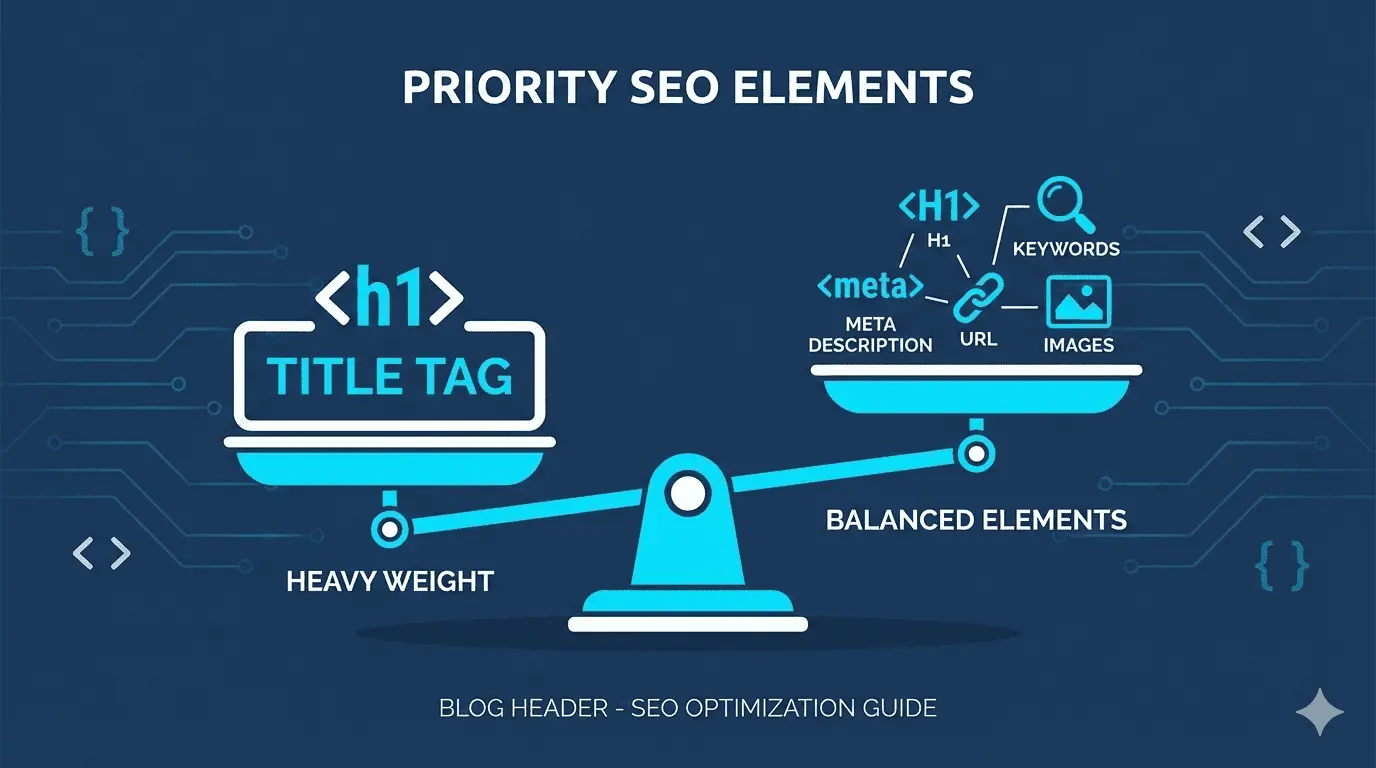
Your page's title tag carries the most weight for on-page SEO.
Let me explain why the title tag reigns supreme among on-page elements.
First, it's the first impression in search results. When someone types a query into Google, your title tag is the most prominent thing they see. It's the headline that determines whether they click your result or scroll past it. That click-through rate directly impacts your rankings.
Second, the title tag is used across multiple platforms. It doesn't just appear in search results—it shows up in browser tabs, social media previews, and whenever someone bookmarks your page. It's working for your SEO in multiple contexts simultaneously.
Third, it's the primary signal to search engines about what your page is about. Yes, Google looks at your content, headings, and other elements too, but the title tag is the clearest, most direct way to communicate your page's topic. It's like the headline of a newspaper article—it tells you the main story immediately.
Finally, the title tag directly impacts one of Google's most important ranking factors: user engagement. When your title tag is compelling and accurately describes your content, you get more clicks. When people click and stay on your page, that tells Google your result is relevant and valuable.
Now, here's the important nuance: saying the title tag carries the most weight doesn't mean you should ignore everything else. SEO is holistic. A perfect title tag on a page with thin content, no headings, broken images, and terrible readability won't rank well.
Think of the title tag as the foundation of a house. It's the most important structural element—but you still need walls, a roof, plumbing, and electricity for the house to be livable. Similarly, your title tag is most important, but you need all the other on-page elements working together to rank competitively.
The practical takeaway? If you're just starting with on-page optimization or you're short on time, prioritize getting your title tags right on every important page. Make them keyword-rich, compelling, and accurate. Then work your way through the other elements as you have bandwidth.
Your Next Steps
Now you know which on-page element carries the most weight for SEO—and you understand all the supporting elements that make a well-optimized page.
If you're feeling overwhelmed, start small. Pick your five most important pages and optimize the title tags. Then tackle meta descriptions. Then headings. Chip away at it systematically rather than trying to do everything at once.
Remember, SEO is a marathon, not a sprint. The websites ranking at the top of Google didn't get there overnight. They built their optimization piece by piece, just like you're about to do.
The beauty of on-page SEO is that it's entirely within your control. You don't need to wait for other sites to link to you or hope Google picks up your content. You can log into your website right now and start making these changes.
So go forth and optimize those title tags. Your future search rankings will thank you.